“Please erase my personal data.”
It is a short customer email. Handling it could involve your support team, IT systems, finance records and service providers.
Who receives the request? Where does the data live? What can be deleted? Who explains the outcome?
These are the practical questions businesses should address when preparing for DPDP Data Principal rights.
If you are working towards DPDP compliance, this guide explains the rights, the processes to prepare and a simple way to test your readiness.
What are DPDP Data Principal rights?
A Data Principal is the individual the personal data relates to. A Data Fiduciary determines why and how that data is processed.
Sections 11–14 of the DPDP Act establish the following rights:
Right | What it covers |
|---|---|
Access | A summary of personal data and processing activities, plus specified information about data sharing |
Correction | Correction, completion and updating of personal data |
Erasure | Requests to erase personal data, subject to retention conditions |
Grievance redressal | A means of raising concerns about obligations or the exercise of rights |
Nomination | Naming another individual to exercise rights following death or incapacity |
Access and correction/erasure provisions concern previously consented processing, including Section 7(a). Rights remain subject to applicable procedures and exemptions. Erasure is not unconditional: retention may remain necessary for the specified purpose or compliance with law.
When should businesses prepare?
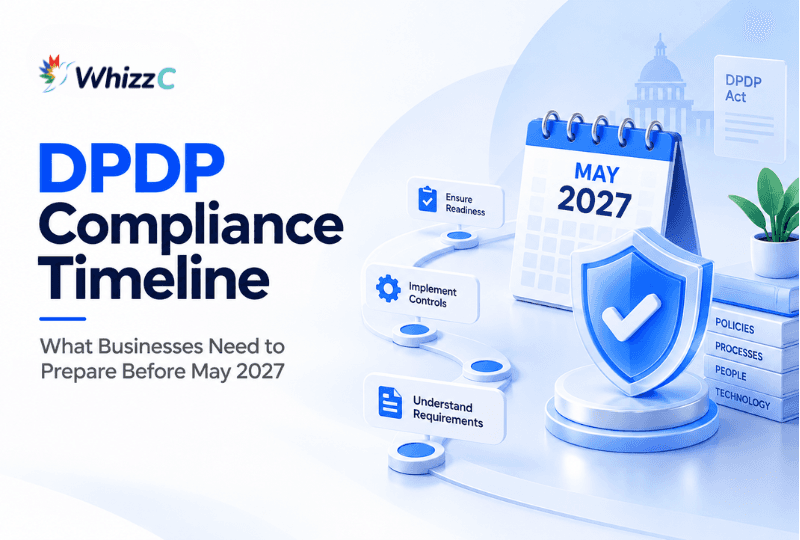
As of October 2026, these substantive rights provisions are not yet in force. They fall within the notified 18-month commencement phase. Using the Gazette’s printed date of 13 November 2025, the scheduled date is 13 May 2027. Rule 14 follows the same phased schedule.
Use the preparation period to test real requests across your systems and teams. Writing a procedure is useful; running it reveals whether it works.
What does your business need to implement?
Start with a process your team can explain and operate.
The table below is a recommended implementation plan, rather than a prescribed statutory sequence.
Prepare this | Practical starting point | Suggested owner |
|---|---|---|
Request channel | A monitored email address, form or account facility | Privacy lead and support |
Request register | Track receipt, request type, owner, progress and outcome | Privacy lead |
Verification process | Confirm identity or authority using proportionate checks | Privacy and security teams |
Data inventory | Map relevant applications, records and service providers | IT and business teams |
Action procedures | Define how each request is assessed and completed | Privacy, IT and legal teams |
Retention assessment | Identify which records can be erased and which need further review | Legal and record owners |
Response records | Keep the decision, actions and communication together | Request owner |
A small business can combine responsibilities. The important point is that every stage has an owner and a backup.
What information should your website or app provide?
Once applicable, Rule 14 requires prominent publication of request channels and any identifying particulars needed. It also covers nomination arrangements and a published, reasonable grievance-response period of no more than 90 days.
That limit concerns grievances; it is not a universal deadline for access, correction or erasure requests.
Rule 9 requires publication of the business contact details of the DPO, where applicable, or another person able to answer processing questions. Those details must also appear in rights-related responses. A statutory DPO is required for a Significant Data Fiduciary; every business does not automatically need one.
Before launch, ask someone unfamiliar with your website to find the request channel. If they cannot locate it easily, improve its placement and wording.
How should you handle a rights request?
Use the following six-step workflow as a practical starting point.
1. Receive and assign
Register the request and assign a responsible person.
A useful register can include:
Request reference and date received
Request category
Assigned owner
Internal target date
Current status
Decision and response date
Avoid leaving requests in a shared inbox without ownership.
2. Verify proportionately
Confirm that you are dealing with the right individual or an authorised representative.
Consider whether an existing signed-in account or verified contact channel provides sufficient assurance. Escalate unusual or sensitive cases for further review.
Collecting more identity documents than necessary can introduce additional privacy risks.
3. Understand the request
Check what the individual wants and which records are involved.
For example, “my details are wrong” may concern an account profile, billing address or support record. Clarifying the requested change can prevent an incomplete update.
Keep clarification questions specific and easy to answer.
4. Locate the relevant information
Check the systems your business actually uses.
A customer’s information could appear in your application, CRM, billing platform, support tool and vendor-managed services.
Your data inventory should help the request owner identify the right teams without relying on memory.
5. Assess and act
Use a separate procedure for each request category.
Request | Practical checks to build into your procedure |
|---|---|
Access | Assemble relevant processing and sharing information; review disclosure restrictions |
Correction | Identify affected records and check whether connected systems also need updating |
Erasure | Review purpose and retention requirements before deciding what action to take |
Grievance | Investigate the concern, assign corrective action and track the response |
Nomination | Check nomination records and the circumstances supporting the nominee’s authority |
Document difficult decisions so another team member can understand the reasoning.
6. Respond and record
Explain the outcome in plain language.
A useful response should make clear what was assessed, what action was taken and whether anything remains outstanding. Maintain supporting records alongside the request.
Avoid closing a ticket simply because it was forwarded to another department.
A practical example: “Please erase my personal data”
Imagine a former customer submits an erasure request. Their information appears in an account profile, invoices, support conversations and an external service.
A sensible preparation exercise would be to:
Confirm the requester and identify the relevant account.
Ask system owners to locate associated records.
Review each record category against the applicable purpose and retention requirements.
Coordinate the approved actions across relevant systems and providers.
Explain the outcome and record the supporting decisions.
The exercise may reveal missing vendor contacts, unclear ownership or disconnected records.
Those findings become your implementation priorities.
Readiness question: Could your team trace one request from receipt to response and show what happened along the way?
Who should own DPDP rights requests?
Choose one coordinator, supported by the teams that hold or manage the information.
Team | Recommended responsibility |
|---|---|
Privacy or compliance lead | Coordinate assessment, ownership and response |
Customer support | Recognise and route requests |
IT and engineering | Locate records and implement approved changes |
Legal and finance | Review relevant retention and disclosure questions |
Vendor owners | Coordinate actions involving service providers |
Leadership | Resolve resource gaps and escalations |
The coordinator should have enough visibility to follow up across departments. They should not have to discover the process again for every request.
Do you need a dedicated tool?
Start by checking your operational needs.
A monitored inbox and secure register may be a practical starting point for a small team with straightforward processing. More complex environments may benefit from assignment, reminders, connected records and central reporting.
When evaluating a tool, ask:
Can we assign and track every request?
Can we record verification and retention decisions?
Can we coordinate actions across systems and vendors?
Can we retrieve a complete history of the response?
Choose technology around your process, data environment and expected workload.
Shareable DPDP rights-readiness checklist
Save this checklist or share it with your support, IT and compliance teams.
People can find our request channel.
Someone monitors it and assigns requests.
We have proportionate verification checks.
We know where relevant personal data is held.
We have procedures for each rights category.
We review retention before approving erasure.
We can coordinate with relevant service providers.
Our website information and response templates are prepared.
We keep records of decisions, actions and responses.
We have tested a request across more than one system.
An unchecked item identifies a preparation task. This checklist supports readiness planning; it does not establish full DPDP compliance.
Prepare your response with WhizzC
If you are planning DPDP implementation, use your first request-handling test to identify where you need support: ownership, records, procedures or coordination.
Explore WhizzC’s DPDPA compliance offering, or speak with the WhizzC team about your current process and implementation priorities.
Bring one realistic customer request to the conversation. It gives everyone a concrete place to start.
FAQ